
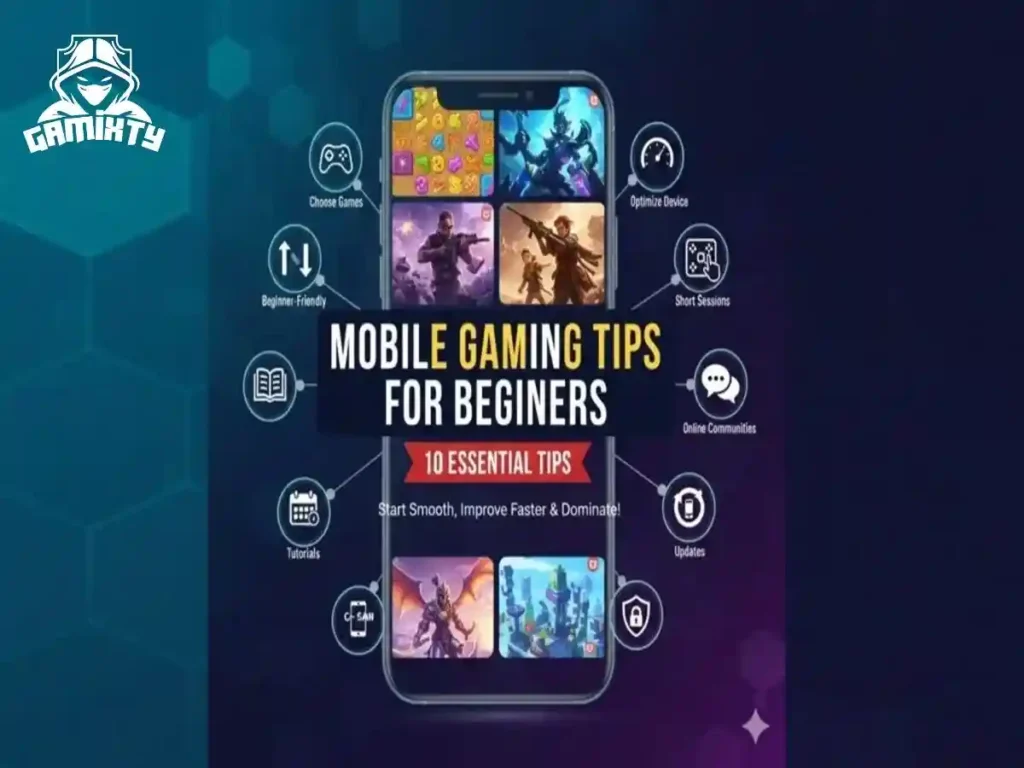
Mobile gaming has grown into one of the most popular forms of entertainment worldwide. From casual puzzle games to competitive multiplayer battles, mobile games offer something for everyone. But for beginners, starting out can feel overwhelming. Confusing controls, unfamiliar game mechanics, and a huge library of options can make it challenging to know where to begin.
This article provides 10 essential mobile gaming tips for beginners that will help you start smoothly, improve faster, and enjoy a better gaming experience. It’s packed with practical advice, examples, and strategies that add real value to your journey as a new mobile gamer.
1. Choose Games That Match Your Interests
The first step in mobile gaming is choosing games that you genuinely enjoy. Different genres require different skills, and your personal preferences will determine how much fun you have.
Why it matters
Playing games you like keeps you motivated and encourages consistent practice. It also reduces frustration and helps you learn faster.
Examples of popular genres
- Puzzle Games (Candy Crush, 2048) – Great for relaxing and developing problem-solving skills.
- Action Games (Free Fire, Call of Duty Mobile) – Ideal for players who enjoy fast reflexes and competitive play.
- Role-Playing Games (RPGs) (Genshin Impact, AFK Arena) – Perfect for story-driven gameplay and strategy.
- Strategy Games (Clash of Clans, Rise of Kingdoms) – Best for players who enjoy planning and tactics.
Tips
- Watch short gameplay videos before downloading a game.
- Read beginner-friendly guides or reviews.
- Avoid games just because they are trending.
2. Start With Beginner-Friendly Titles
Jumping straight into complex or competitive games can be frustrating. Some mobile games demand advanced skills like fast reflexes, multitasking, and tactical thinking, which beginners may not have developed yet.
Best options for beginners
- Turn-based games
- Slow-paced strategy titles
- Simple arcade games
- Puzzle and casual games
Reason
Beginner-friendly games help you learn core mechanics without overwhelming you. They also build confidence before moving to advanced gameplay.
Example:
Starting with a puzzle game like Two Dots teaches pattern recognition and problem-solving before trying fast-paced action games.
3. Optimize Your Device Performance
Even if you’re skilled, a slow or laggy device can ruin your mobile gaming experience. Optimizing your phone ensures smoother gameplay, faster response times, and fewer crashes.
How to improve performance
- Clear unused apps and free storage space.
- Close background applications while playing.
- Lower in-game graphics if your device struggles.
- Enable “Game Mode” if your phone has it.
Example:
In PUBG Mobile, reducing graphics from HD to Smooth can significantly reduce lag and improve reaction speed, especially on older devices.
4. Customize Controls for Comfort
Every player’s hands are different. Customizing controls makes gameplay easier and more comfortable, which is especially important in competitive or fast-paced games.
Ways to adjust controls
- Move buttons closer to your fingers.
- Increase button size for easier pressing.
- Adjust sensitivity for precise movement.
- Try different layouts (2-finger, 3-finger, 4-finger setups).
Example:
In shooting games, moving the fire button slightly upward can improve accuracy and reduce missed shots.
5. Practice in Short Sessions
Playing for hours without breaks may seem productive, but it can lead to fatigue, slower reaction times, and frustration.
Why short sessions work
- Keeps your mind focused.
- Builds muscle memory gradually.
- Prevents stress and burnout.
Example Routine:
- Play 20 minutes → take a 5-minute break → repeat if desired
This approach is better for learning than a single long session.
6. Follow Tutorials and Training Modes
Many beginners skip tutorials, thinking they’re unnecessary. Tutorials are designed to teach you game mechanics, strategy, and core features.
What you learn in tutorials
- Movement and aiming
- Using skills or special abilities
- Managing resources
- Game rules and scoring systems
Example:
Clash Royale tutorials teach elixir management and unit placement. Skipping this makes early battles harder and less enjoyable.
7. Join Online Gaming Communities
Communities can help beginners learn faster. Experienced players often share tips, strategies, and updates that are hard to find on your own.
Where to join
- Discord servers
- Reddit communities
- Facebook gaming groups
- YouTube comment sections
Benefits
- Get tips and strategies
- Discover hidden features
- Ask questions without judgment
- Stay updated on game events
Example:
If you’re stuck on a puzzle level, community advice can save hours of trial and error.
8. Manage Your Mobile Gaming Time
Mobile games are entertaining, but overplaying can affect health, sleep, and productivity.
Time management tips
- Set daily play limits
- Play after completing work or study tasks
- Avoid long sessions before sleeping
- Take breaks for eyes and hands
Example:
Playing Candy Crush for 30 minutes during lunch breaks is more effective than playing 3 hours straight at night.
9. Keep Your Device and Games Updated
Updates are essential for smooth performance, new features, and bug fixes.
Why updates matter
- Fix game glitches
- Improve performance and stability
- Add new content or levels
- Enhance security
Example:
A bug in Genshin Impact might prevent a quest from completing. Updating the game fixes the issue and prevents future errors.
10. Protect Your Game Account
Many mobile games save progress online. Protecting your account prevents loss of progress, in-game currency, and purchased items.
Tips for account safety
- Use strong, unique passwords
- Enable two-factor authentication
- Avoid sharing login credentials
- Don’t use hacks or cheats
Example:
Losing access to your Clash of Clans account could mean losing months of progress and thousands of coins. Security is always better than recovery.
Common Beginner Mistakes to Avoid
Beginners often make small mistakes that slow down progress. Avoiding them can make gaming more enjoyable and help you improve faster.
1. Overspending on In-Game Purchases
Buying upgrades or skins too early won’t make you a better player. Focus on learning the game first.
Example: Buying a powerful weapon in PUBG Mobile won’t help if you can’t aim properly.
2. Playing Without a Strategy
Even casual games need some planning. Random actions often lead to repeated losses.
Example: In Clash Royale, saving your elixir for strong attacks works better than placing cards randomly.
3. Copying Others Blindly
Not every tip or style works for you. Experiment and find what feels comfortable.
Example: Using a pro player’s 4-finger layout may confuse you as a beginner.
4. Changing Games Too Frequently
Switching games often prevents real progress. Stick with one game for a few weeks to learn it properly.
Example: Playing Candy Crush for two days, then switching to Free Fire, won’t let you improve in either.
5. Ignoring Device Heating
Overheating can cause lag or damage your phone. Take breaks and lower graphics if needed.
Example: Pausing Genshin Impact for a few minutes prevents lag and protects your device.
Conclusion
Mobile gaming is not just entertainment—it can improve focus, problem-solving, and coordination. Beginners should take small steps: choose the right games, learn controls, practice consistently, join communities, manage time, and protect their accounts.
With patience, practice, and the right approach, anyone can enjoy mobile gaming and see steady improvement. The key is to start slow, stay motivated, and enjoy every level, challenge, and victory along the way.